Home Video editing Contact details Fun stuff
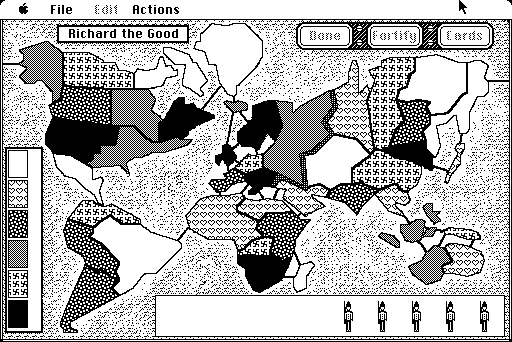
If you played around with the original Apple Mac (or Mac Plus) in the late 80's, you may remember the Risk game:
Now I have a Mac SE and a Mac Classic, along with all my old disks, but I never boot them up these days.
I long to play Risk though, and none of the new versions have quite the same feel as the old ones, so I occasionally get a Mac down from my loft and boot it up for a few games.
I recently decided to try out an emulator and see if I could copy the game over to a modern computer. To cut a long story short, I succeeded, and to save you the effort, I offer you the following downloads:
Mac Plus emulator for Windows including Risk game
Mac Plus emulator for newer 64 bit Mac OS X including Risk game
Mac Plus emulator for older 32 bit Mac OS X including Risk game
The zip file contains Mini vMac, emulating a Mac Plus, along with the Mac Plus ROM, and a minimal Mac Plus System 6.0.8 boot disk containing the Risk program. It also contains a shortcut which will start the emulator and boot from the disk image in one go. Just click the "Risk" icon to get going!
Please note that to use the Mac Plus ROM legally, you must own an Apple Mac computer with the appropriate ROM.
I would also like to point out that the Risk game was written by Antonie J. Engel a.k.a. Tone Engel, and is copyright to him. As far as I can tell from my research, there was never any way to purchase a copy, and it freely circulated amongst Mac owners. If Tone does not approve of his program being distributed in this way, please contact me and I will remove the download.
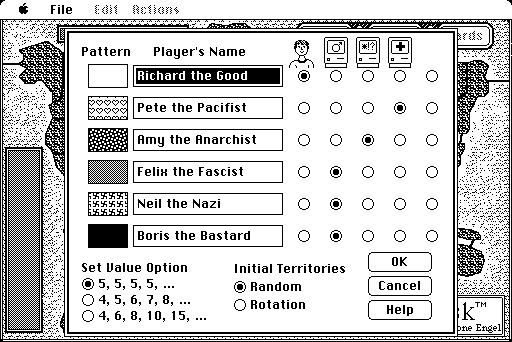
The version of Risk here has been slightly modified by me (back in the early 90's) to give more interesting player names than "Player 1", etc. I seem to remember I used a resource editor to do this.
If you get bitten by the bug to play with Mac nostaglia, check out Mini vMac further, and add a larger hard disk to your emulator.
If you still have your old Mac and want to transfer files over to the emulator, you need to format a 1.44 MB floppy on the Mac, copy the files onto that, and then use Gemulator Explorer to read the Mac disk on a Windows PC - use the "Create Image File From Physical Disk" option to create a ".dsk" file that Mini vMac can open.
I have now found a website that emulates a Mac Plus in a web browser, and it includes the original Risk game in the Games folder! Check it out here.
Incidentally, I only found one other website describing this Risk game. [Edit: that site is now gone, but there is an archived copy here.] Surely more people remember and love this game!
If you have any questions or comments I'd love to hear them.